Left Out Scan 1.1.1 · Android 11 and later
Your documents.
Your phone.
Scan. Straighten. Encrypt. Keep it local.
Turn a page into a document with automatic corner detection, adjustable cropping, and perspective correction. Save the PDF encrypted on your phone and read it in your private vault.
No accounts. No ads. No tracking. No document uploads.
Closed Alpha Google Play testing
Available to approved testers.
The closed test is live. Top AI Tools For does not publish product prices yet; a purchase link will appear only when the release and distribution path are ready.
For scans you want to keep and read on this phone. This version has no PDF sharing, export, printing, import, backup, or recovery.
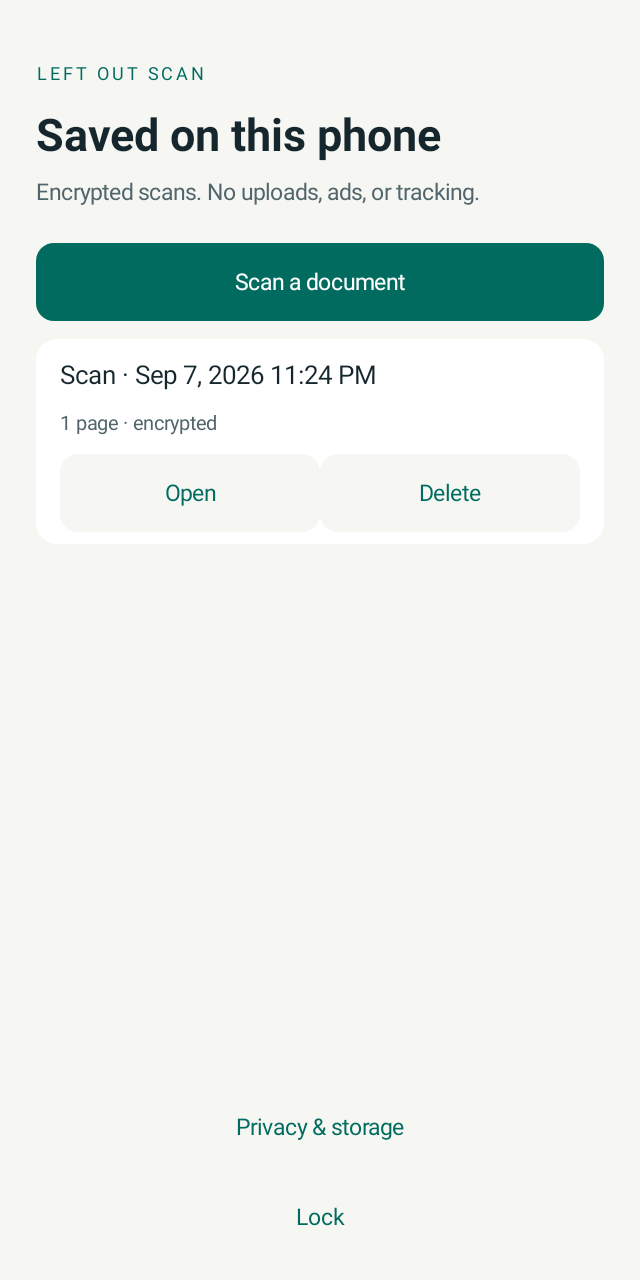
Three steps. One device.
- 01
Capture
Photograph up to 10 pages. Put the paper on a flat surface in good light with a little space around its edges.
- 02
Align and review
Check the page corners, adjust if needed, then tap Use page to crop and straighten the image. Review every page before saving.
- 03
Keep encrypted
Tap Encrypt & save. Your PDF stays in the app’s private storage, protected by encryption and your device authentication.
Inside Left Out Scan
A small tool. A complete local workflow.
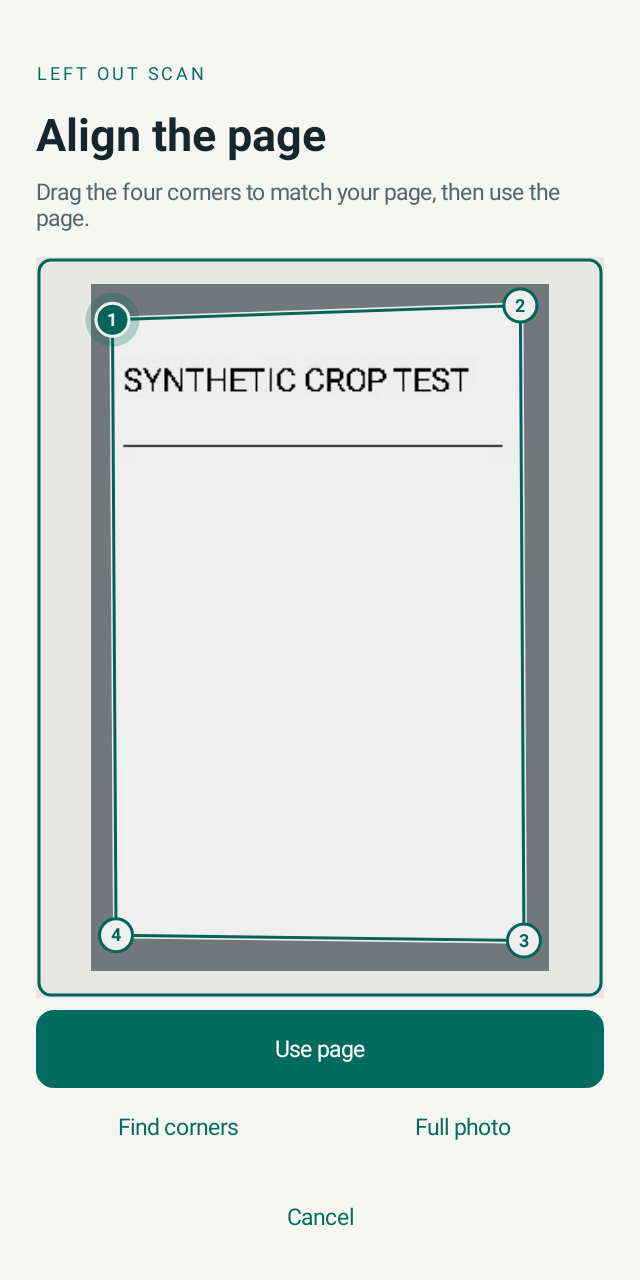
Align the page
Check the detected outline or drag each corner into place. You stay in control of the crop.
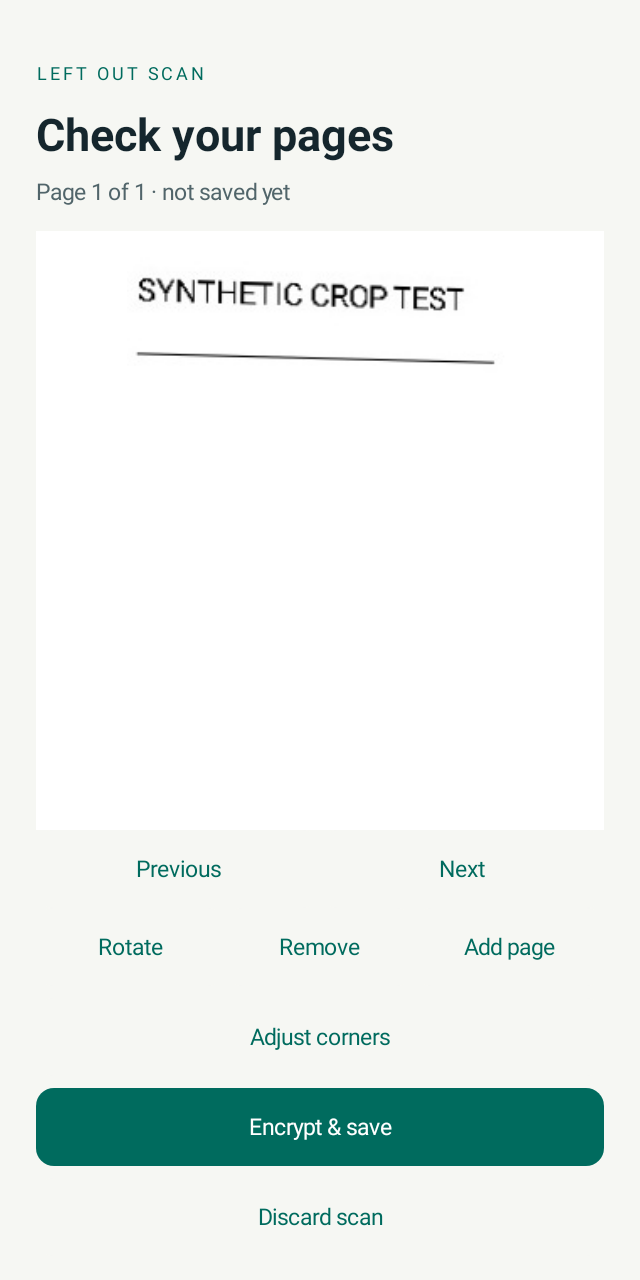
Review before saving
Use page applies the crop and perspective correction. Rotate, adjust again, or add another page.
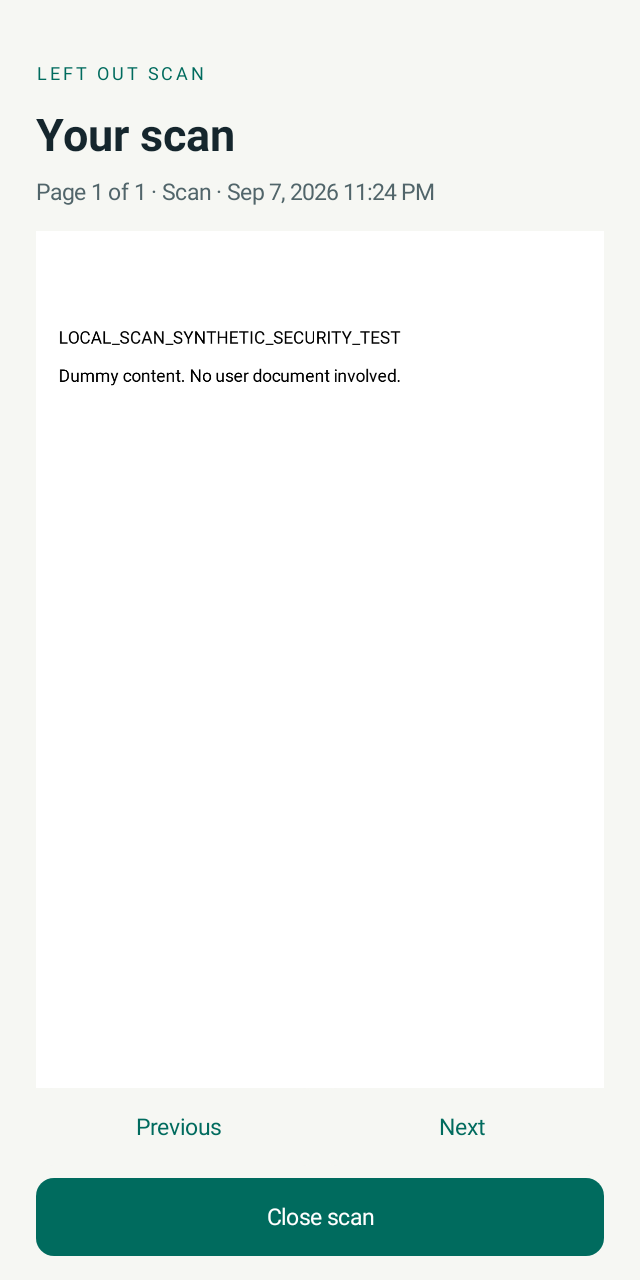
Read it in your vault
Unlock a saved document and read its pages inside the app. Close it when you are done.
Actual Android app screens using synthetic test documents. The alignment example shows a manually adjusted selection; it is not a demonstration of automatic detection accuracy.
Privacy is the default
Your pages never need a server.
Capture, corner detection, perspective correction, PDF creation, and encryption run on your phone. The scanner does not need a model download or an online document service.
- No document uploads or cloud storage
- No ads, analytics, or crash-reporting SDKs
- No account, remote configuration, or app updater
- No file import, sharing, or export integration
- AES-256-GCM encryption for saved PDF content
- Camera permission; no internet permission
Know where your scans live.
Saved documents live in Left Out Scan’s private storage, not your Downloads folder or photo gallery. This version is for keeping and viewing scans on this phone; it does not send PDFs to other apps.
There is no cloud copy or recovery service. Deleting a scan, clearing app data, uninstalling, losing the phone, or invalidating the device’s encryption key can permanently remove access. A device screen lock is required.
The PDF contains images of your pages. This version does not include OCR, searchable text, curved-book flattening, or automatic redaction. Corner detection can miss an edge; review and adjust the outline before saving.
Read the scanning and storage guide